


Network Switch Types
1.According to Network Role
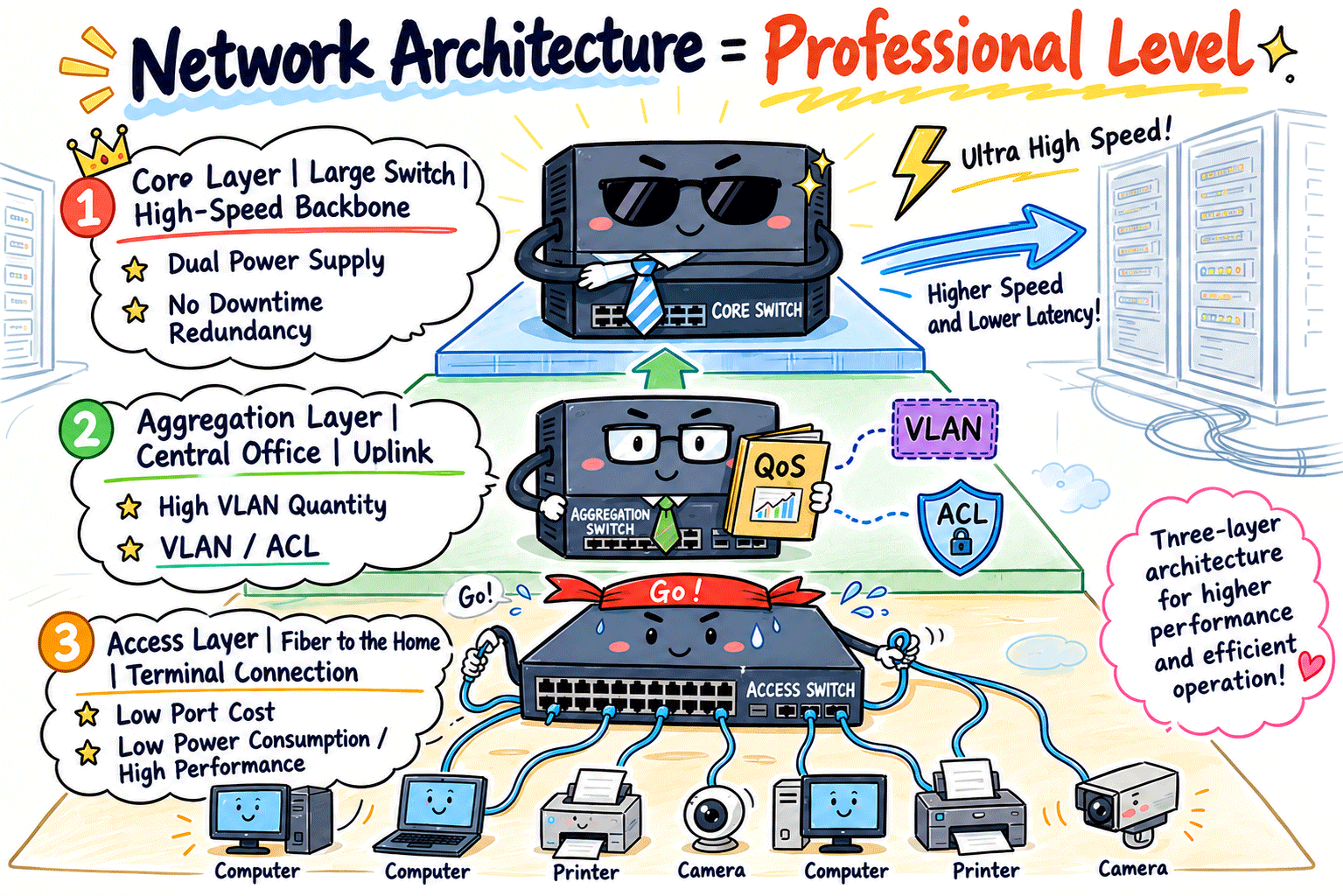
“This is the classic three-layer architecture classification, indicating the role of each switch in the network topology.”
Access Layer Switches (The Workhorses): Directly connect to computers, printers, and cameras. They feature a large number of ports and low cost. These switches are usually fixed-port models, mainly responsible for reliably collecting data from a large number of end devices.
Distribution Layer Switches (Aggregation Layer Switches):They sit between the access layer and the core layer, serving as an intermediary layer that aggregates traffic from multiple access switches. They also handle tasks such as VLAN segmentation and policy enforcement, including access control lists (ACLs), as part of network traffic management.
Core Layer Switches (Core Switches):Positioned at the heart of the data center or network backbone, they are responsible for high-speed, non-blocking data forwarding. Their sole mission is to move traffic as fast and efficiently as possible. Core switches are typically very expensive and are designed for maximum reliability, with redundant power supplies and dual control planes as standard to ensure continuous operation and eliminate any single point of failure.
2.By Appearance and Application on Scenarios
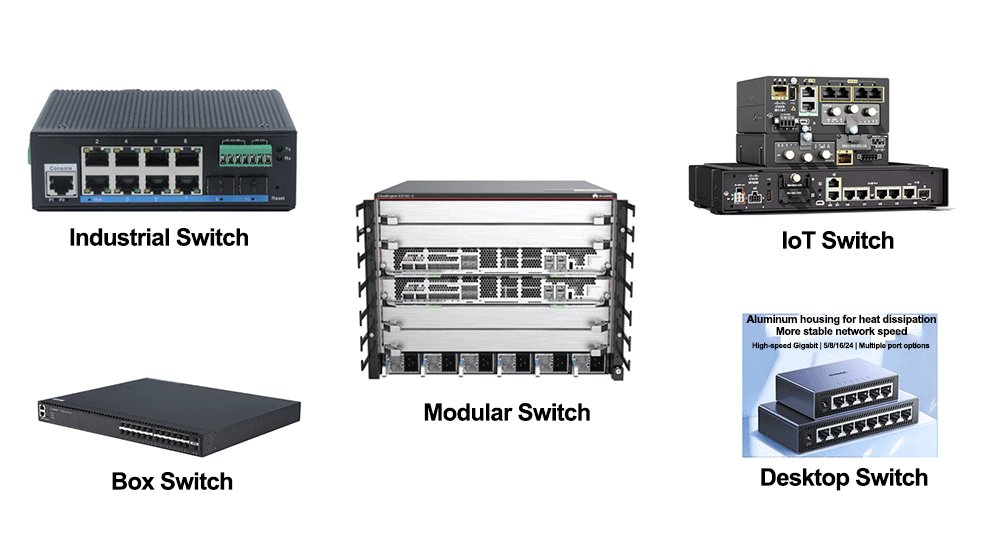
Chassis Switches (Modular Switches):These are the “giants” in the data center, resembling large upright cabinets. They come as an empty chassis with a backplane, allowing you to install power supplies, supervisor/control modules, and various Gigabit or 10/40/100G line cards. They are very expensive but offer unmatched scalability, making them ideal for core-layer deployments in data centers or large campus networks.
Fixed-Configuration Switches (boxed switches):These are the most common “boxed” switches, usually only 1U in height, with a fixed number of ports (sometimes with one or two uplink fiber ports). They are cost-effective, compact, and easy to deploy, making them the mainstay of access and distribution layer deployments.
Desktop Switches:Compact, plastic-enclosed switches that are not rack-mountable. They are typically used in home networks and small office environments, where space and port density requirements are limited.
Industrial Ethernet Switches:Designed for harsh environments such as high-speed rail systems, substations, and extreme outdoor conditions. They feature fanless cooling, dust and water resistance, and strong electromagnetic interference (EMI) protection. These switches can operate reliably in a wide temperature range, typically from -40°C to 85°C.
IoT Switches (Industrial IoT Switches):In addition to standard Ethernet ports, these switches are equipped with industrial serial interfaces such as RS-485. They are specifically designed to collect, convert, and transmit data from industrial equipment and sensors to cloud or centralized management platforms.
3. Divided by network hierarchy
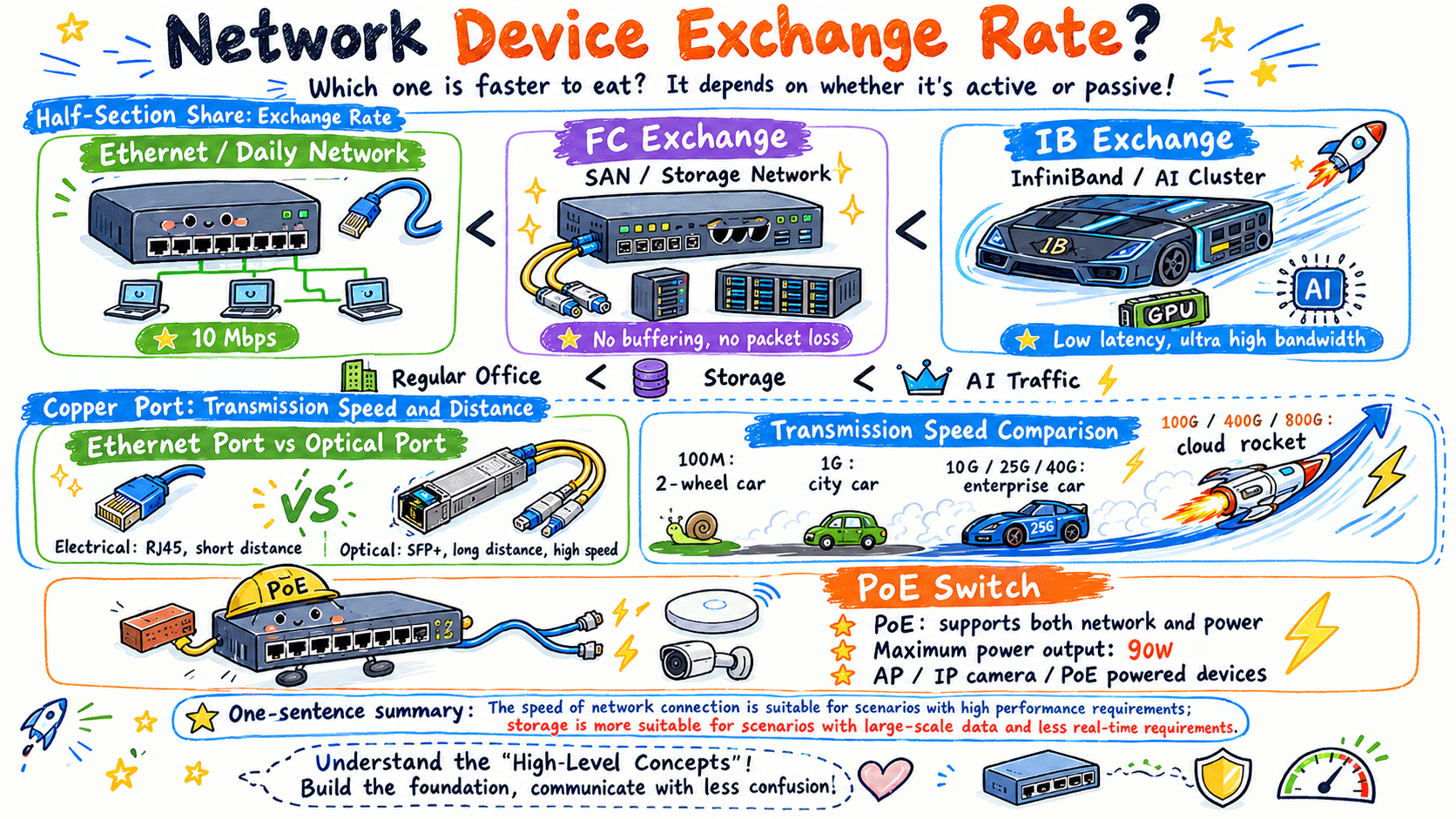
Ethernet Switch: Runs on the Ethernet protocol and handles regular LAN traffic.
FC Switch (Fibre Channel): Specially designed for SAN (Storage Area Network). It connects servers and high-end professional storage arrays with highly rigorous protocols.
IB Switch (InfiniBand): Based on the InfiniBand protocol, it delivers microsecond-level ultra-low latency and ultra-high bandwidth. It serves as the core interconnection device for large model training and GPU computing clusters in AI data centers, with a relatively high cost.
4.Classified by Port Speed and Power Supply
Electrical Port vs. Optical Port Electrical ports use standard RJ45 network cables. They are cost-effective but limited to a transmission distance within 100 meters. Optical ports work with optical modules and fiber cables, ideal for long-distance and high-speed backbone interconnection.
Speed Evolution from 100Mbps to 400G
• 100Mbps switches are completely obsolete.
• 1G (Gigabit) is the basic bandwidth standard for regular office network access.
• 10G / 25G / 40G are mainstream bandwidth standards for the aggregation layer of enterprise network backbones.
• 100G, 400G and even 800G are mainly deployed for high-speed interconnection between nodes in cloud computing data centers and AI computing facilities.
• PoE Switch: It transmits data and power simultaneously via network cables, with a maximum power output of 90W. Widely used for wireless APs and security cameras, it requires no additional power cables.
5. Switch Selection Guide
During the selection of network devices, manufacturers usually refer to the following three technical concepts, which are explained as below:
(1) Layer 2 Switch vs Layer 3 Switch
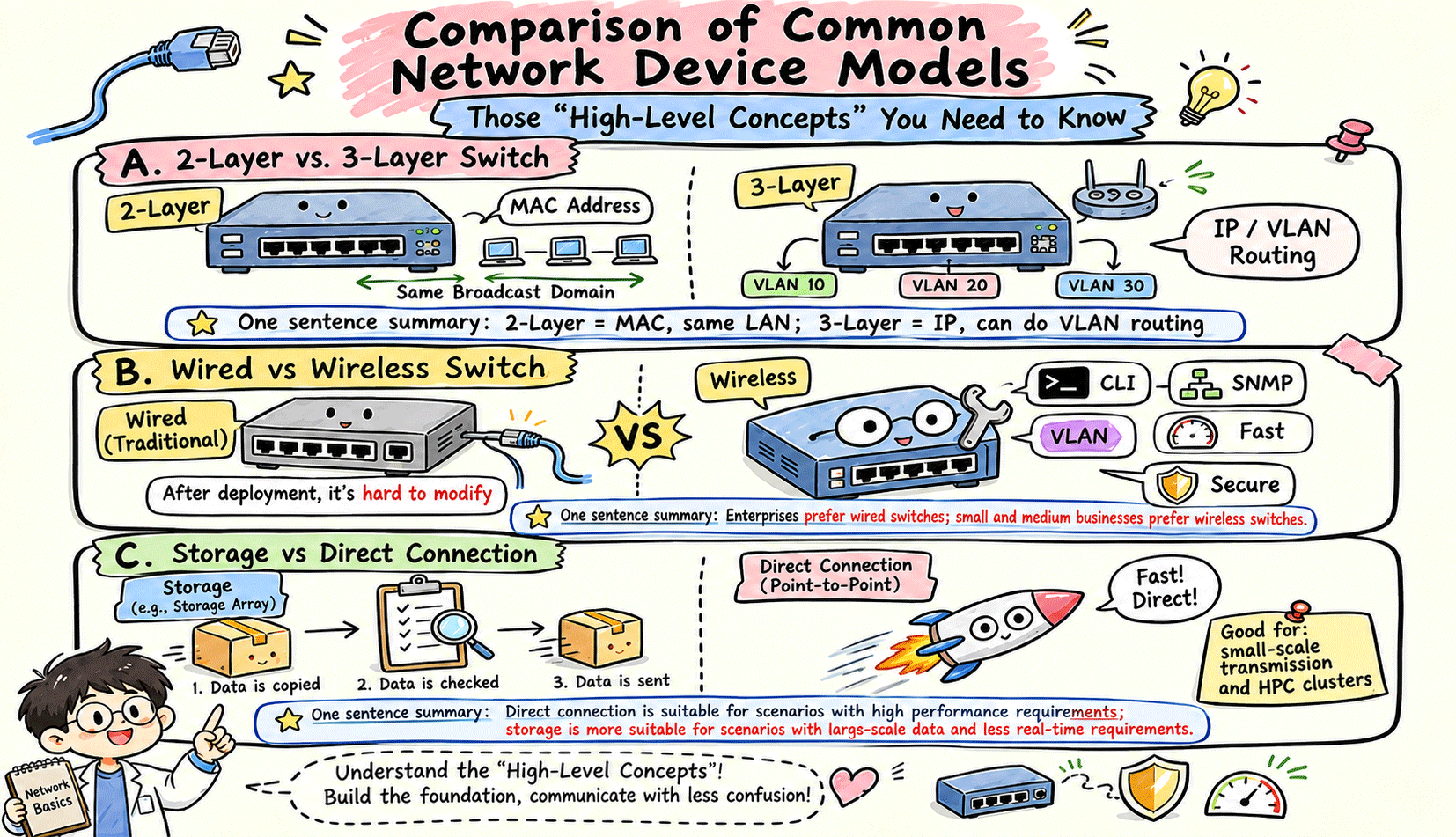
• A Layer 2 switch forwards data frames within the same network segment based on MAC addresses.
• A Layer 3 switch integrates routing functions. It identifies IP addresses and enables routing communication between different VLANs.
(2) Unmanaged Switch vs Managed Switch
• An unmanaged switch is a plug-and-play device with no support for background configuration and management.
• A managed switch supports Command-Line Interface (CLI) and SNMP. It delivers management functions such as VLAN division, traffic rate limiting and security policy configuration, and is the mainstream choice for enterprise network deployment.
(3) Store-and-Forward vs Cut-Through
• Store-and-Forward: This forwarding mechanism is adopted by most switches. The device receives and verifies the entire data frame before forwarding, featuring high reliability and zero data errors.
• Cut-Through: Designed for low-latency scenarios. The device forwards data immediately after reading the destination MAC address, without waiting for full frame reception and verification. It achieves ultra-low latency, and is mainly used in financial quantitative trading, High-Performance Computing (HPC) and supercomputing centers.




Copyright © 2022 Besten telecommunicaition Techology Co., Ltd
All Rights Reserved




+86 18123800301
sales.besten0707@gmail.com